> ## Documentation Index
> Fetch the complete documentation index at: https://docs.superdesign.dev/llms.txt
> Use this file to discover all available pages before exploring further.
# Export
> Take designs to production
All designs generated in Superdesign are HTML-first.
You can export them directly and continue working in your own tools—whether that's an IDE, an AI coding agent, or Figma.
## Export Options
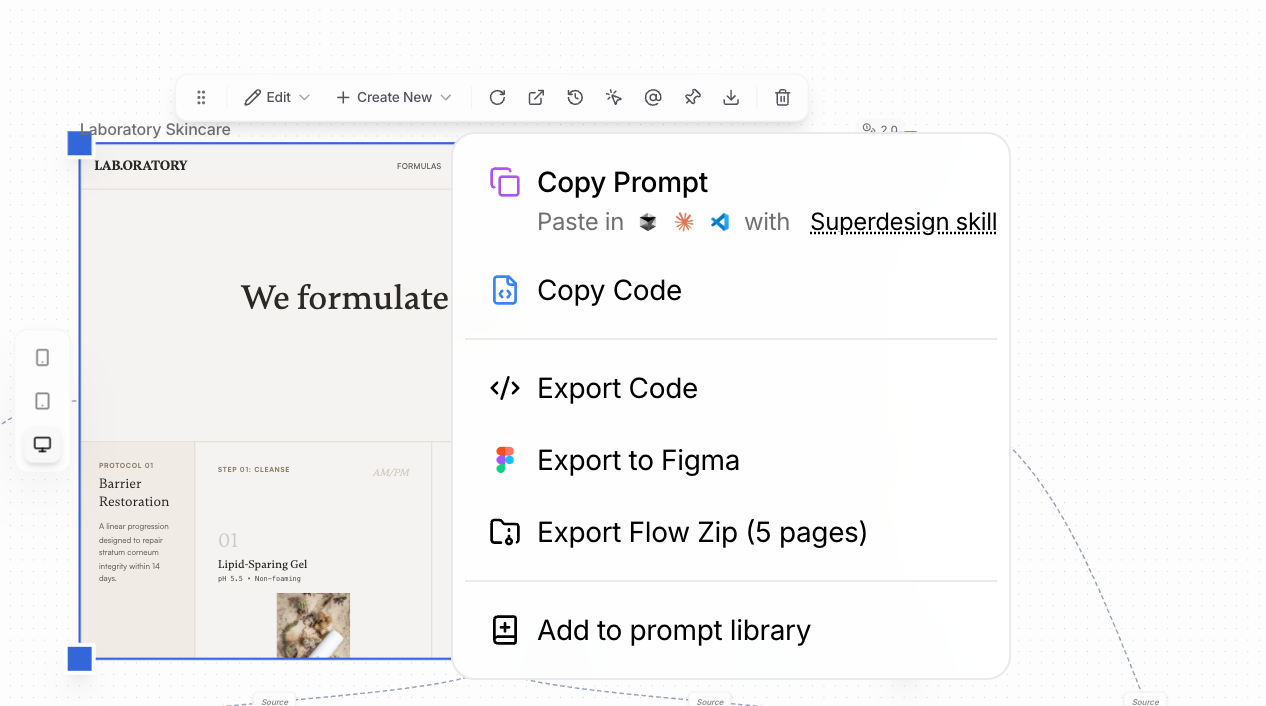 ### 1. Download as ZIP (Frames)
* Select a single frame or multi-select multiple frames
* Export them as a ZIP file
* Each page is included as production-ready HTML
Best for moving multiple pages into a project at once.
### 2. Copy HTML Code
* Copy the HTML directly from any frame
* Paste it into your IDE and continue development
Ideal for quick edits or integration into an existing codebase.
### 3. Pixel-Perfect Transfer with Superdesign Agent
Use the Superdesign Agent skill to transfer designs into your codebase with high fidelity.
* Designed for pixel-perfect HTML transfer
* Works directly inside your development workflow
* Best for turning designs into maintainable production code
Learn how to use the Superdesign Agent skill
### 4. Export to Figma
If you need to move designs into Figma:
1. Install the [html.to.design Chrome extension](https://chromewebstore.google.com/detail/htmltodesign/ldnheaepmnmbjjjahokphckbpgciiaed)
2. Use the extension to capture the Superdesign preview page
3. Upload the captured file to Figma using the [html.to.design Figma plugin](https://www.figma.com/community/plugin/1159123024924461424/html-to-design-by-divriots-import-websites-to-figma-designs-web-html-css)
This recreates your HTML layout as editable Figma frames.
## When to Use Which
| Method | Best For |
| ------------ | -------------------------------------- |
| ZIP export | Full pages, handoff, or archiving |
| Copy HTML | Quick iteration in code |
| Agent skill | Pixel-perfect production transfer |
| Figma export | Collaboration or design-only workflows |
### 1. Download as ZIP (Frames)
* Select a single frame or multi-select multiple frames
* Export them as a ZIP file
* Each page is included as production-ready HTML
Best for moving multiple pages into a project at once.
### 2. Copy HTML Code
* Copy the HTML directly from any frame
* Paste it into your IDE and continue development
Ideal for quick edits or integration into an existing codebase.
### 3. Pixel-Perfect Transfer with Superdesign Agent
Use the Superdesign Agent skill to transfer designs into your codebase with high fidelity.
* Designed for pixel-perfect HTML transfer
* Works directly inside your development workflow
* Best for turning designs into maintainable production code
Learn how to use the Superdesign Agent skill
### 4. Export to Figma
If you need to move designs into Figma:
1. Install the [html.to.design Chrome extension](https://chromewebstore.google.com/detail/htmltodesign/ldnheaepmnmbjjjahokphckbpgciiaed)
2. Use the extension to capture the Superdesign preview page
3. Upload the captured file to Figma using the [html.to.design Figma plugin](https://www.figma.com/community/plugin/1159123024924461424/html-to-design-by-divriots-import-websites-to-figma-designs-web-html-css)
This recreates your HTML layout as editable Figma frames.
## When to Use Which
| Method | Best For |
| ------------ | -------------------------------------- |
| ZIP export | Full pages, handoff, or archiving |
| Copy HTML | Quick iteration in code |
| Agent skill | Pixel-perfect production transfer |
| Figma export | Collaboration or design-only workflows |