> ## Documentation Index
> Fetch the complete documentation index at: https://docs.superdesign.dev/llms.txt
> Use this file to discover all available pages before exploring further.
# Branch - Explore Design Variations
> Branch creates parallel design options without changing your current design
Branch creates parallel design options without changing your current design.
Use it to explore different directions safely and compare results side-by-side.
## How to Access
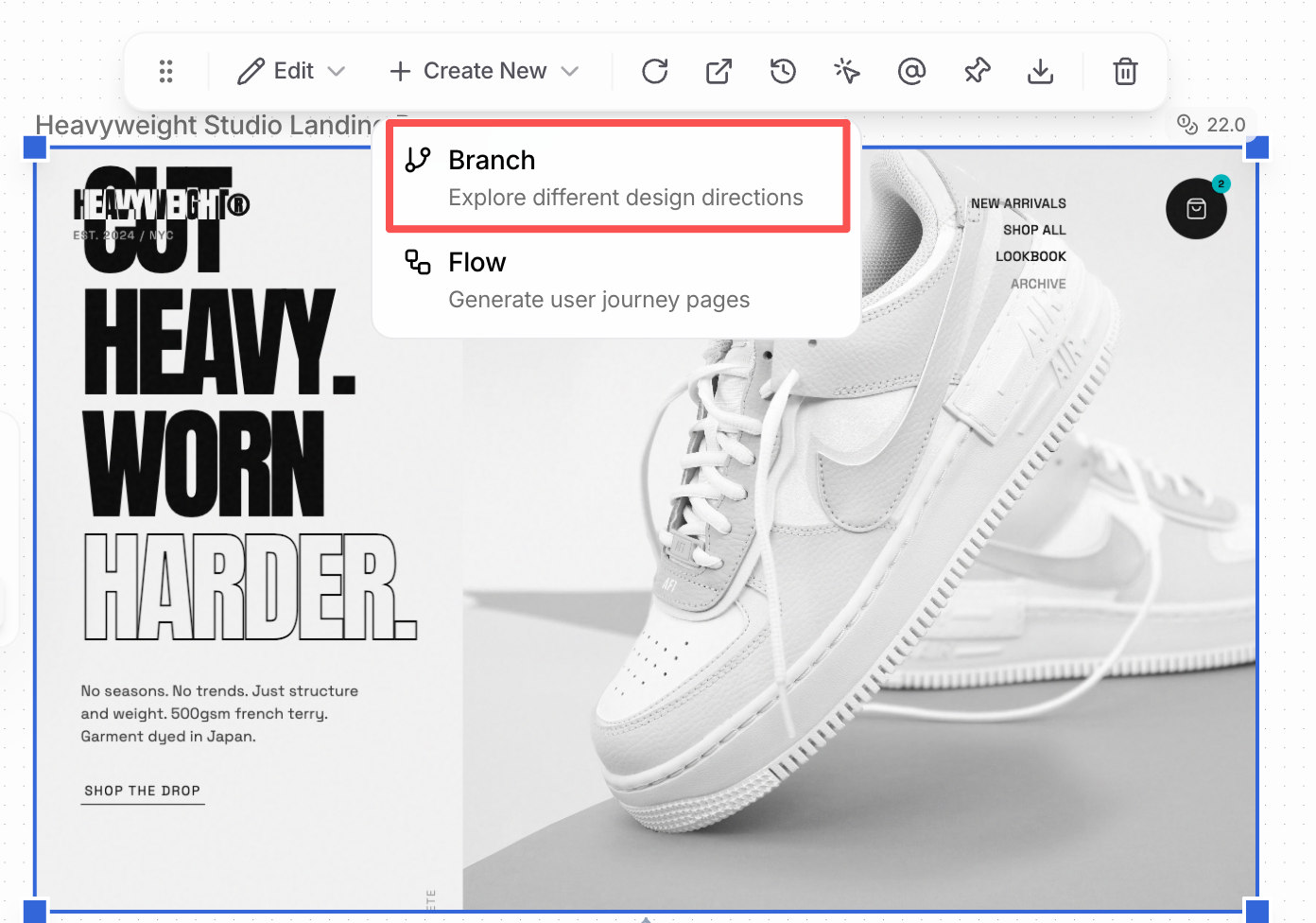
1. Select a page or frame
2. Click **Create New → Branch**
 ***
## Branch vs Edit
### Branch Mode
* Keeps the current design intact
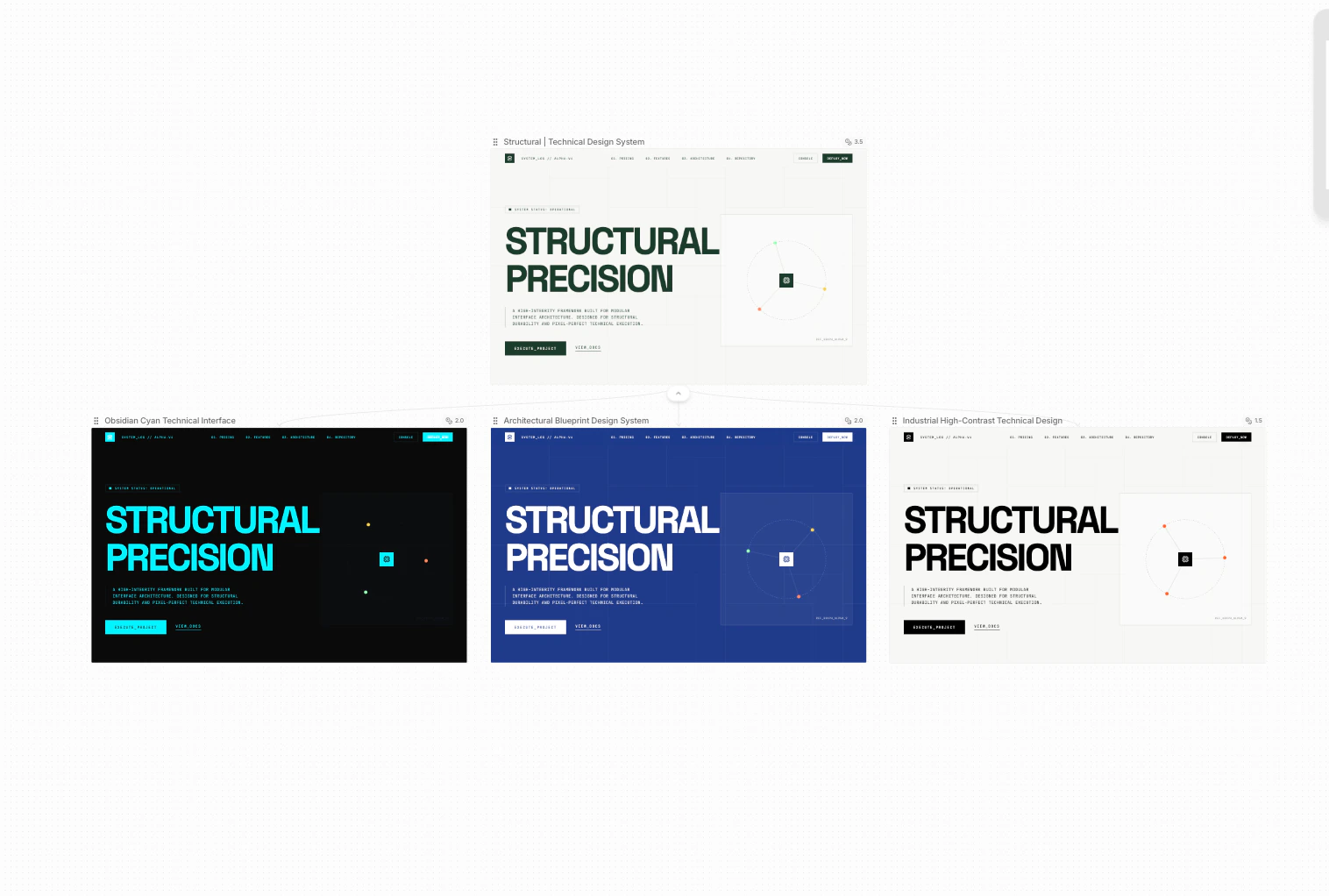
* Generates new designs as separate branches
* Best for exploration and comparison
***
## Branch vs Edit
### Branch Mode
* Keeps the current design intact
* Generates new designs as separate branches
* Best for exploration and comparison
 ### Edit Mode
* Updates the current design directly
* Best for refining and polishing
***
## Iterations (1 · 2 · 3 · 4)
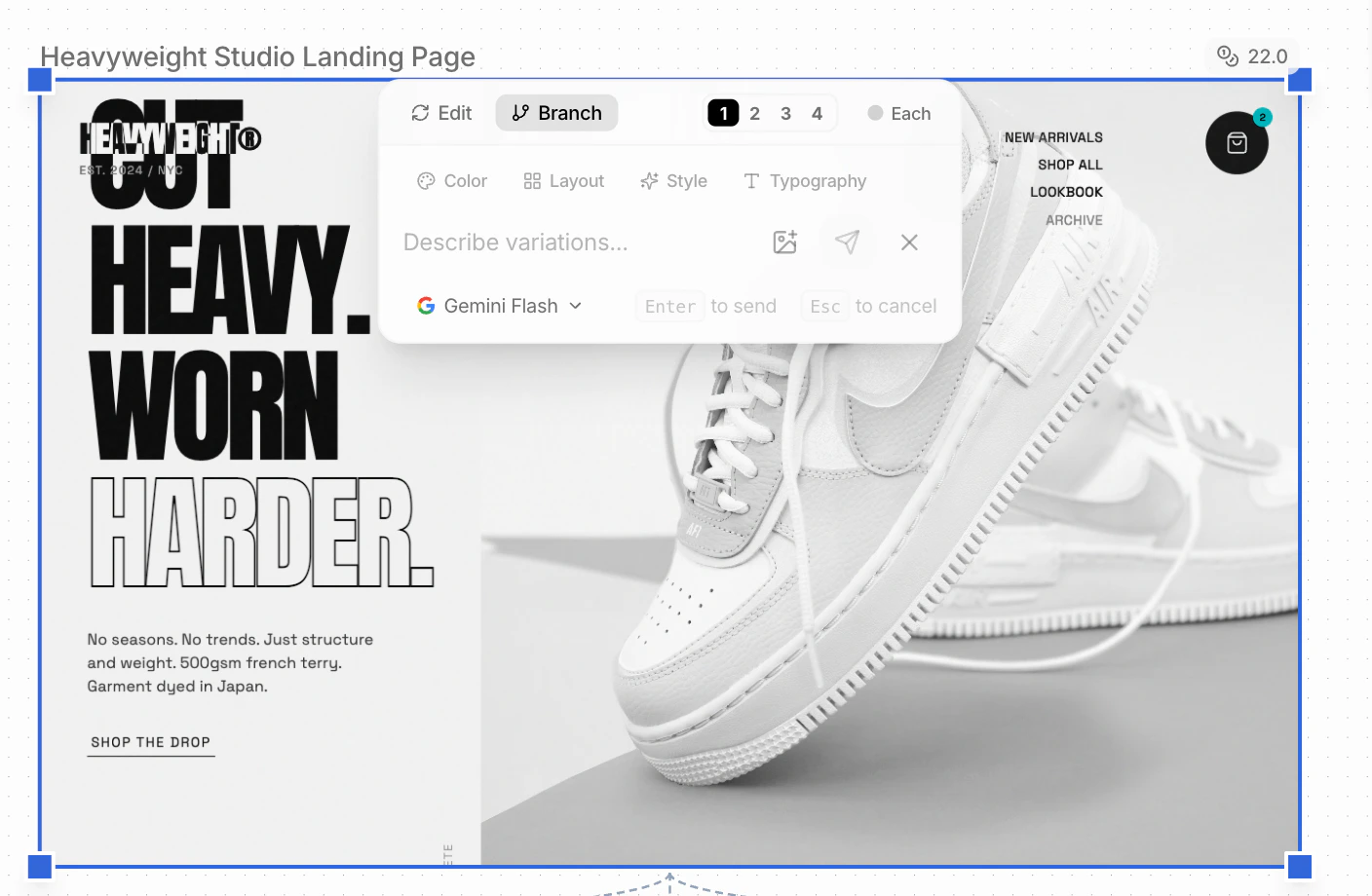
The numbers control how many branches are created.
* **Example:** Selecting 3 generates 3 new branches
* All branches start from the same original design
### Edit Mode
* Updates the current design directly
* Best for refining and polishing
***
## Iterations (1 · 2 · 3 · 4)
The numbers control how many branches are created.
* **Example:** Selecting 3 generates 3 new branches
* All branches start from the same original design
 ***
## Guiding the Design Agent
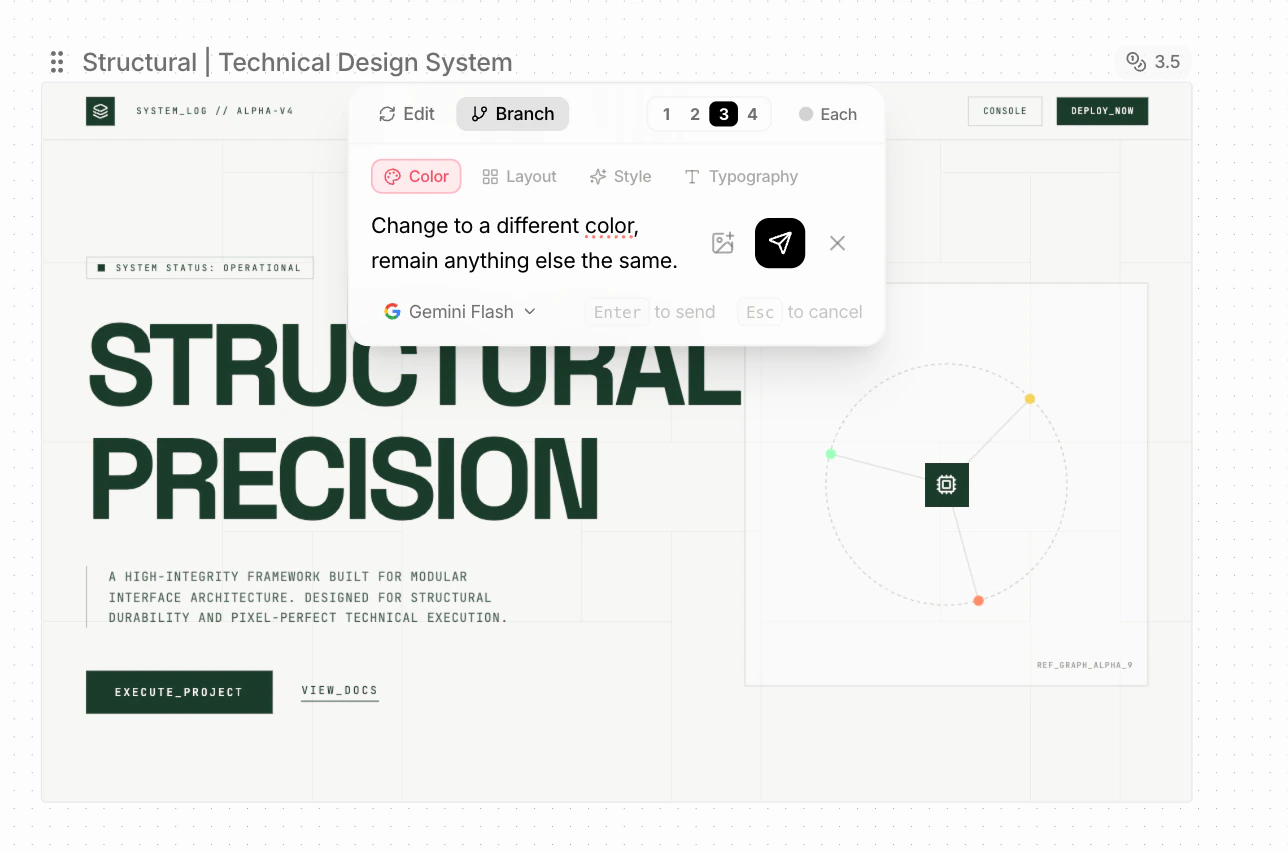
You can guide exploration by focusing on:
* **Color**
* **Layout**
* **Style**
* **Typography**
These are optional. If you already know what you want, simply prompt the agent directly.
***
## Guiding the Design Agent
You can guide exploration by focusing on:
* **Color**
* **Layout**
* **Style**
* **Typography**
These are optional. If you already know what you want, simply prompt the agent directly.
 ***
## "Each" Mode
When **Each** is enabled:
* You can write a different prompt per branch
* Each branch is generated based on its own prompt
***
## "Each" Mode
When **Each** is enabled:
* You can write a different prompt per branch
* Each branch is generated based on its own prompt
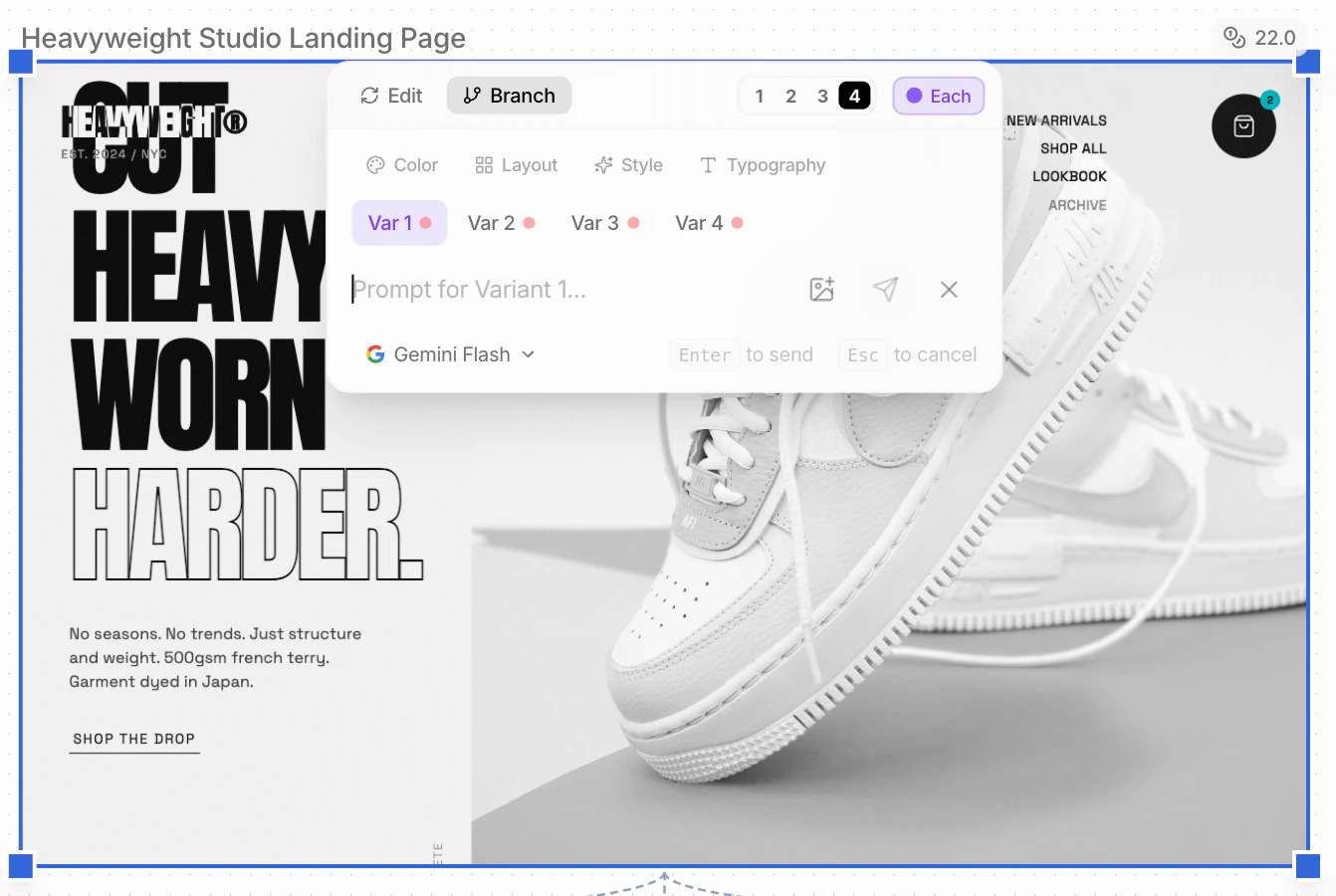 ***
## Model Selection
**Default model:** Gemini Flash
* Most cost-efficient option
* Recommended for early-stage iteration and exploration
***
## Model Selection
**Default model:** Gemini Flash
* Most cost-efficient option
* Recommended for early-stage iteration and exploration